
Compact SPS: purification for one or two solvents in the smallest footprint.
Use the Compact configuration when the solvent list is focused and lab space is the main constraint. It uses the same PPT purification approach without the scale of a larger frame.
A good fit when your lab needs only one or two purified solvents.
Compact is the simplest SPS choice when a larger frame would waste space and the research plan does not require several additional solvent lines.
Focused solvent list
One or two solvents.
Limited space
Compact equipment for restricted laboratory space.
Configured layout
Matched to your laboratory’s space and requirements.
Define the configuration around your installation.
Published format guidance is a starting point. Confirm the selected arrangement, utilities and access with PPT.
Compact SPS
Published configuration
- Solvent count
- 1–2
- Dimensions / installation
- Micro footprint; configured to lab
Final dimensions, column arrangement, utilities, and installation details depend on the selected configuration and site conditions.
Purify your solvent, then protect it during collection.
Your solvent supply feeds purification columns selected for the chemistry. Vacuum-sealed flask connections and an argon blanket protect collected solvent from re-exposure. Confirm solvent-specific media and connection materials with PPT.
Connect your solvent supply
Review your supplier kegs, solvent grades and container connections.
Remove water and oxygen
Route your solvent through the selected purification columns.
Collect under argon
Use protected flask connections for collection and transfer.
Connections and integration
Review your flask sizes, glovebox interfaces, vacuum-pump controls and keg connections with PPT. Your collection and transfer requirements determine the hardware to include.
Space and service access
Leave room to reach valves, collect solvent and remove columns for service. Account for the additional solvent lines your research group may need later.
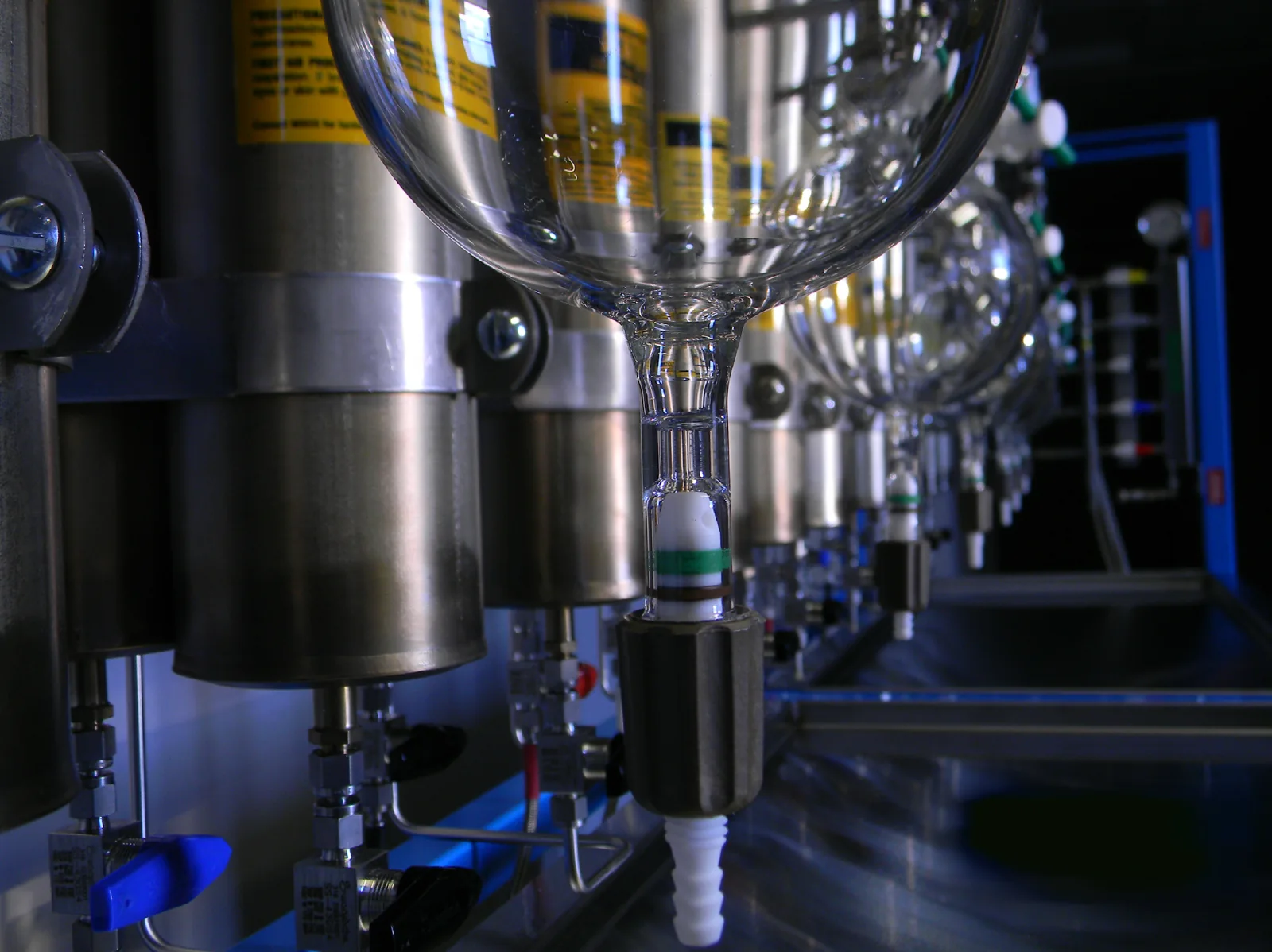
PPT SPS component photography. Hardware shown illustrates the purification and collection system; the installed arrangement follows the selected configuration.
The details that change the recommendation.
Keep the selection process short and useful. These are the inputs that actually affect which SPS format works best.
- 1–2 priority solvents
- Future solvent plan
- Available footprint
- Operator access
- Argon/vacuum
- Glovebox connection
- Column replacement access
Plan the parts that keep the system usable and serviceable.
PPT supports replacement columns, column refill service, flasks and connections, vacuum-pump controls, glovebox integration, stainless kegs, and other system components.
Replacement columns
Factory-activated replacement columns let labs swap columns without waiting for the existing set to be refilled.
Column refill service
A lower-cost option that requires removing and shipping the existing columns to PPT, which creates lab downtime.
Flasks & connections
PPT supplies vacuum-sealed flask and connection hardware for day-to-day dispensing.
Glovebox integration
Direct-connect integration can be planned around the number of solvent lines and your lab workflow.
Make the small footprint work in your lab.
Plan your solvent list, connections and access together.
Request a QuoteShare your solvent list, available space and installation requirements.
One or two solvents
List the solvents used now and any planned additions before fixing the configuration.
Available space
Provide your proposed location and dimensions, including collection space and access for column removal.
Supply and connections
Review solvent containers, argon, vacuum and any glovebox connection with PPT.
Operation and service
Confirm flask handling, operator access and the replacement or refill plan for the columns.
Installation, operation and ongoing support.
Installation & training
Remote resources and video support are available; on-site installation can be quoted separately.
Troubleshooting
PPT maintains training videos, manuals, and procedures for common SPS operating and maintenance tasks.
Column lifecycle
PPT states column capacity at roughly 600–800 liters or about five years, with actual life depending on solvent use and operating conditions.
OEM parts
Replacement columns, flasks, controls, kegs, connections, and other supported components are available through PPT.
Additional configuration considerations
Most avoidable problems come from sizing only for today's solvent list, underestimating service access, or leaving integration and EHS review until after equipment is selected.
- Choosing Compact when your lab will soon need more than two solvents.
- Placing it where columns or flasks are hard to service.
- Forgetting glovebox or dispensing integration until after fabrication.
- Using footprint alone instead of workflow to choose the system.
Request a quote for your solvent system.
Share your solvent list, available space and installation requirements. Include what you know; PPT can help clarify the remaining details.
Your selected system is included below.
sales@ppttech.com