
Support for your solvent purification or dispensing system.
Get help with troubleshooting, parts, configuration, documentation, and installation questions. For larger changes, ask PPT to review upgrade or retrofit requirements.
Need emergency system support?
For urgent water or solvent system issues, call PPT. If your service agreement includes after-hours support, use the emergency contact instructions in your agreement.
What do you need help with?
Troubleshooting
Flow, performance, or system behavior has changed.
Review symptomsParts & components
Identify a component or ask about your existing configuration.
Get component helpTraining & documentation
Find manuals or ask about operating and setup guidance.
Find documentationInstallation / configuration
Ask about installation details, connections, or a setup change.
Review your setupUpgrade / retrofit
Your lab, solvent demand, or workflow needs have changed.
Review your options
Troubleshooting & performance
Use these guides for common column, solvent, keg, and flow problems. Follow the instructions for your system and your lab’s operating procedures.
Column refills, replacement & column life
Refilling requires removing the existing columns and taking them out of service while PPT processes them. Replacement columns provide a separate option when you need to plan the change around lab use.
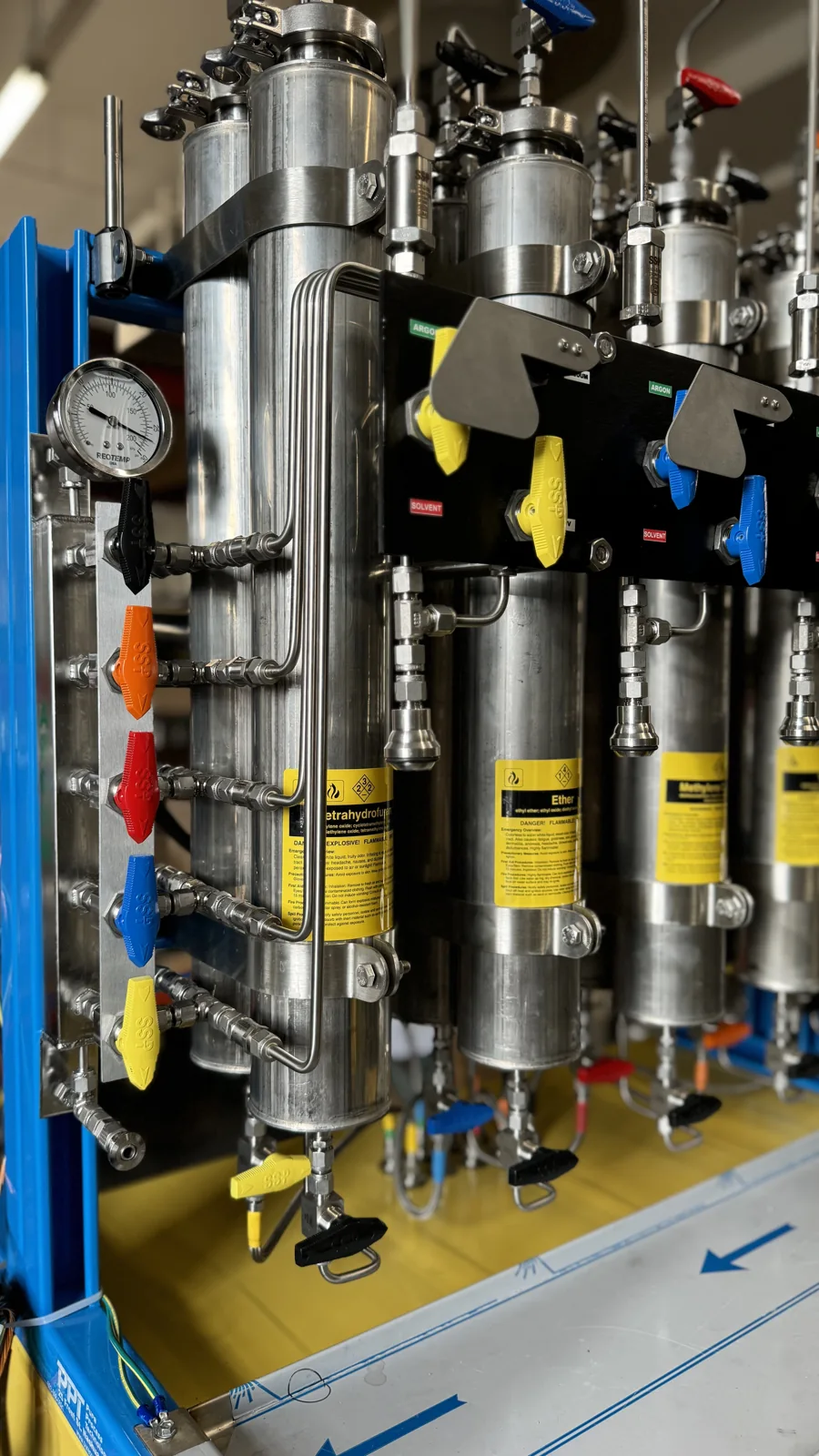
- Identify the solvent and valve-handle color assigned to each column.
- Use PPT’s column removal and replacement guide and video for the changeout procedure.
- Confirm refill or replacement arrangements with PPT before shipping columns. Current pricing and shipping details need to be confirmed.
Recommended solvents
PPT’s existing guidance recommends HPLC- or ACS-grade solvent with water content below 100 ppm, generally unstabilized. Some solvents have specific requirements.
Check the solvent grade, water-content specification, and stabilizer information before use. DCM is an exception to the general unstabilized guidance; confirm the correct product and stabilizer with PPT for your application.
Confirm a solvent requirementKeg corrosion, rust & seal leaks
Inspect the keg, lid, and seal for corrosion, contamination, or damage. A leak at the lid may require replacing the O-ring or seal, the lid, or the keg itself.
- Check the condition of the lid seal and sealing surfaces, especially if the problem started after refilling.
- Use the documented leak-checking procedure to identify the affected connection or seal.
- For visible corrosion, send PPT photos to assess whether the keg needs replacement. Confirm cleaning methods and solvent compatibility before attempting to clean a corroded keg.
Wet solvents
After saturating the columns, PPT’s existing guidance calls for at least 48 hours before testing. Purge approximately a flask’s volume before taking the test sample, following the operating procedure for your system.
If results remain outside your requirements, check the incoming solvent specification and the column history. Share the test result and time since saturation with PPT.
Open column purging procedure (PDF)Low pressure or restricted flow
Start with the argon supply gauge and the connections between the tank, keg, and system. Use the pressure settings specified for your equipment and solvent.
- Check the argon supply pressure against your system instructions.
- Confirm that the bottom valve on the back column is closed when not in use; the existing guide identifies solvent draining back into the keg as a possible cause.
- Check the final filter for restriction. Follow your system’s procedure for cleaning or replacing it.
- If the issue began after refilling, check the keg O-ring and lid seal for leakage using the documented procedure.
Parts, components & configuration
Send photos, labels, and any part information for the component you need reviewed. Include whether your system is cabinet mounted, hooded, compact, freestanding, or used for dispensing.
Parts and service requirements depend on your equipment. PPT can review the component and configuration before recommending a next step.
Installation & configuration help
Share your system layout, connections, photos, and equipment documentation. Describe changes to your hood, cabinet, dispensing arrangement, or glovebox connections. PPT needs to review your equipment and application before advising on compatibility or installation scope.
Manuals, guides & training videos
Find PPT’s installation, operating, and maintenance resources. Confirm that the document and revision apply to your equipment; use your lab’s operating procedures.
Manuals & procedure guides
SPS installation guide
Installation documentation for PPT solvent purification systems.
Open PDFSPS instruction manual
Operating documentation for PPT solvent purification systems.
Open PDFSolvent dispensing quick start guide
Illustrated quick reference for solvent dispensing.
Open PDFColumn purging procedure
PPT’s documented column purging procedure.
Open PDFKeg refilling & degassing procedure
PPT’s documented keg refilling and degassing procedure.
Open PDFColumn removal & replacement guide
PPT’s documented column removal and replacement procedure.
Open PDFUtilities & installation information
Utilities information for a PPT solvent purification system installation.
Open PDFTraining videos
Purging solvent columns
PPT training video.
Watch on YouTubeChanging solvent columns
PPT training video.
Watch on YouTubeSolvent leak checking
PPT training video.
Watch on YouTubeFilling & degassing solvent kegs
PPT training video.
Watch on YouTubeHow to dispense solvents
PPT training video.
Watch on YouTubeFor equipment or setup questions, ask PPT about video support and training needs.
Request Solvent SupportUpgrade or retrofit questions
Changing lab needs, additional solvent demand, glovebox or workflow changes, and aging components may warrant a system review. PPT can review your existing configuration and proposed changes; retrofit compatibility needs to be confirmed.
What to share with PPT
Send what you know about your setup and question. Photos and existing documentation are useful even if some details are missing.
Your system & application
- Configuration, manufacturer, and model if known
- Solvents, use case, and available documentation
- Photos of your system, labels, and affected components
Your support question
- Symptoms and parts or components involved
- Recent setup or operating changes
- Configuration, solvent demand, or workflow changes being considered
Request solvent support
Tell us what’s happening, what’s changed, and what you need help with. Share what you know; partial information is okay.
Prefer to send us an email instead?
Email PPT directly